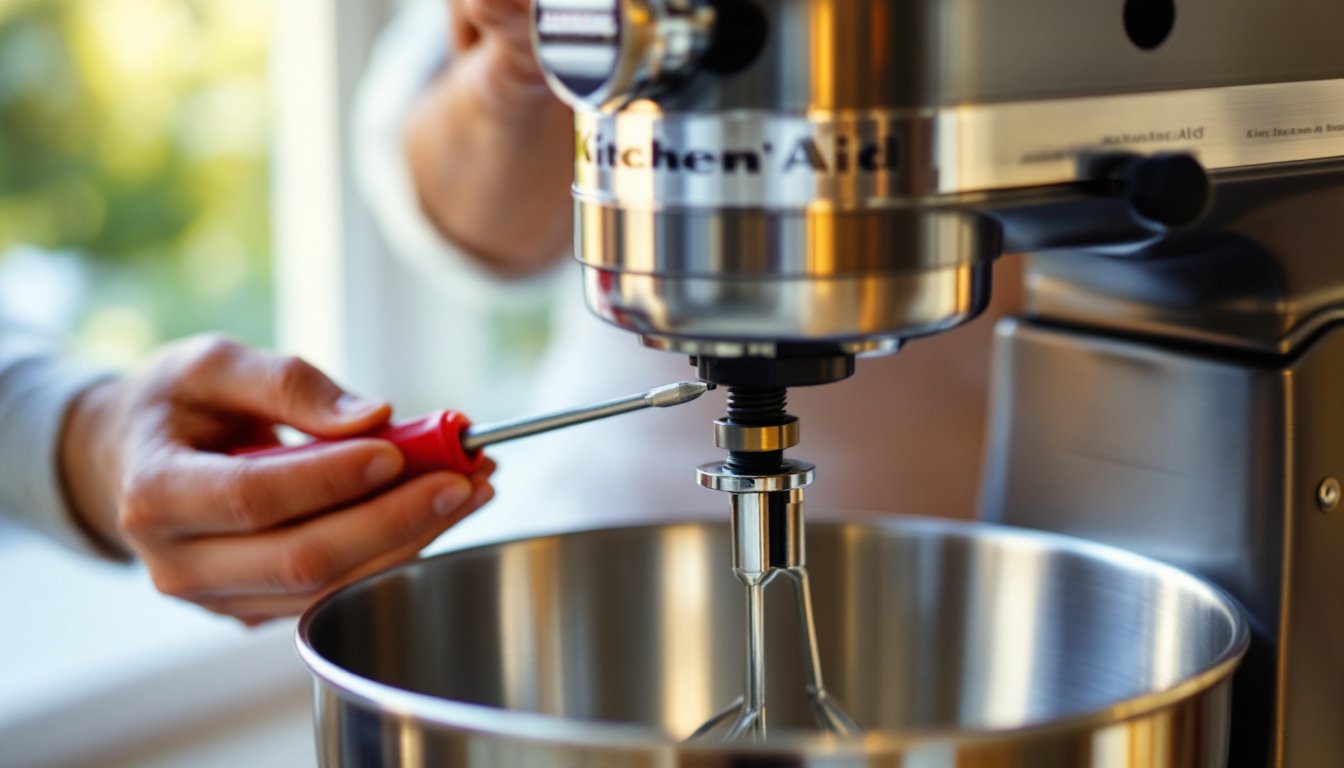
If your KitchenAid stand mixer is leaving ingredients unmixed at the bottom of the bowl or banging the beater against the bowl with every rotation, it’s time for a simple adjustment. The beater-to-bowl clearance, the gap between the flat beater and the bowl’s bottom, can shift over time due to use, shipping, or even changes in altitude. This isn’t a defect. It’s a maintenance task that takes about five minutes and requires just one tool. Most mixers leave the factory with proper clearance, but vibration, heavy dough loads, and normal wear can knock things out of alignment. This guide walks through the adjustment process, explains when and why it’s needed, and covers troubleshooting for common issues.
Table of Contents
ToggleKey Takeaways
- Adjusting a KitchenAid mixer’s beater-to-bowl clearance to approximately 1/16 inch (the thickness of a dime) takes just five minutes and prevents unmixed ingredients and bowl wear.
- The adjustment screw location varies by model—tilt-head mixers have it at the hinge pin neck, while bowl-lift models have it near the attachment hub, but the adjustment process remains identical.
- Small quarter-turn adjustments to the screw prevent overcorrection; clockwise rotation raises the beater for more clearance if it’s hitting the bowl, while counterclockwise lowers it if ingredients aren’t mixing at the bottom.
- Always unplug the mixer before adjusting and test clearance with a flour-only batch at speed 2 to confirm proper mixing without scraping sounds or visible contact.
- Stuck adjustment screws can be freed with a drop of food-safe mineral oil left for 10 minutes, and thread-locking compound in removable grade can prevent future drift if the adjustment doesn’t hold after repeated use.
Why Your KitchenAid Mixer Needs Adjustment
The beater-to-bowl clearance determines mixing efficiency. Too much clearance leaves flour pockets and unmixed butter at the bowl’s bottom. Too little clearance causes the beater to scrape or strike the bowl, wearing the coating off both the beater and the stainless steel bowl.
KitchenAid specifies that the flat beater should clear the bowl bottom by approximately 1/16 inch, about the thickness of a dime. This distance allows the beater to pull ingredients up from the bottom while the planetary mixing action (the beater orbits the bowl while spinning) distributes everything evenly.
Several factors throw this clearance off. Shipping and handling can jostle the adjustment screw. Heavy, stiff doughs, especially bread dough at the upper limit of the mixer’s capacity, can gradually shift the head assembly. Even moving the mixer to a different altitude or temperature can cause slight expansion or contraction in metal components.
You’ll know adjustment is needed if you see unmixed streaks of flour or butter after several minutes of mixing, hear metal-on-metal contact, or notice visible scrape marks on the bowl or beater. Ignoring the problem accelerates wear and reduces mixing performance, especially with small-batch recipes where proper beater positioning is critical.
Tools and Preparation for Mixer Adjustment
The adjustment requires minimal tools and no disassembly of the mixer housing. Here’s what to gather:
Tools Needed:
- Flat-head screwdriver (standard size, typically 1/4-inch blade width)
- Dime or feeler gauge (optional, for precision checking)
Materials:
- Clean, dry bowl (use the stainless steel bowl that came with the mixer)
- Flat beater attachment (not the dough hook or wire whip)
Before starting, unplug the mixer. Even though you won’t be near electrical components, it’s standard shop safety to disconnect power during any mechanical adjustment.
Wipe down the bowl and beater to remove flour dust, dough residue, or moisture. Debris between the beater and bowl can give a false reading during testing. Make sure the mixer sits on a stable, level surface, an unlevel countertop can make clearance appear uneven.
Most KitchenAid stand mixers use the same adjustment mechanism, whether it’s a Classic, Artisan, or Professional series. The adjustment screw is located in different positions depending on the model, but the process is identical. Tilt-head models (where the motor head tilts back) have the screw on the neck of the head. Bowl-lift models (with levers that raise the bowl) have it near the bowl support.
Check your mixer’s documentation if you’re uncertain, but in most cases the screw is visible without removing panels or trim.
How to Adjust the Beater-to-Bowl Clearance
Step-by-Step Adjustment Process
1. Locate the Adjustment Screw
For tilt-head models, lift the motor head and look at the hinge pin where the head connects to the base. You’ll see a slotted screw, usually silver or black, recessed slightly into the neck.
For bowl-lift models, lower the bowl completely and look at the shaft housing above where the bowl attaches. The adjustment screw is typically on the underside or side of the motor housing, near the attachment hub.
2. Attach the Flat Beater and Bowl
Slide the flat beater onto the beater shaft and turn it counterclockwise until it locks. For tilt-head models, lower the head into the locked position. For bowl-lift models, raise the bowl until it locks into place.
3. Turn the Adjustment Screw
Insert the flat-head screwdriver into the adjustment screw. Turning the screw changes the distance between the beater and bowl:
- Clockwise (right) rotation raises the beater (increases clearance, use if the beater is hitting the bowl)
- Counterclockwise (left) rotation lowers the beater (decreases clearance, use if ingredients aren’t mixing at the bottom)
Make small adjustments, a quarter turn at a time. The threads are fine-pitch, so a little rotation goes a long way. Avoid forcing the screw: it should turn with moderate resistance but never feel stuck. Many kitchen appliance maintenance guides emphasize incremental adjustments to prevent overcorrection.
4. Check Clearance Visually
After each quarter turn, manually rotate the beater (with the mixer still unplugged) and observe the gap. The beater should pass just above the bowl’s curved bottom without contact. If you’re using a dime as a gauge, slide it between the beater and bowl, it should fit with slight drag but not bind or fall through freely.
Testing Your Adjustment
Once the visual clearance looks right, run a mixing test:
- Plug in the mixer and add about 2 cups of flour to the bowl (no other ingredients needed for this test).
- Run the mixer on speed 2 (stir setting) for 30 seconds.
- Stop and check the bowl bottom. All flour should be incorporated. If you see a ring of unmixed flour around the center or outer edge, the beater is too high.
- Listen for scraping or tapping sounds. Any metal-on-metal noise means the beater is too low.
If the test fails, repeat the adjustment process. For stubborn cases, some mixers have detailed appliance troubleshooting resources that cover model-specific quirks.
After achieving proper clearance, note the screw’s position (you can mark it lightly with a marker) so future adjustments are faster. The screw can vibrate loose over time, especially if the mixer sees heavy use with stiff doughs.
Troubleshooting Common Mixer Adjustment Issues
Beater Still Hits the Bowl After Adjustment
If you’ve turned the screw clockwise multiple full rotations and contact persists, check for a bent beater shaft or a warped bowl. Set the bowl on a flat surface and check for wobble. Inspect the flat beater for visible bends, stiff dough and accidental drops can deform the wire frame. Replacement beaters are inexpensive and readily available.
Can’t Turn the Adjustment Screw
Dried batter, grease, or thread corrosion can lock the screw. Apply a drop of food-safe lubricant (like mineral oil) around the screw head and let it sit for 10 minutes. Gently tap the screwdriver handle with your palm to break corrosion, then try again. Never use penetrating oil like WD-40 near food-contact surfaces.
Clearance Seems Uneven Around the Bowl
The planetary gear system should maintain consistent clearance as the beater orbits. If clearance varies, the bowl may not be seated properly, or the bowl-lift mechanism (on those models) might need adjustment or lubrication. Remove and reattach the bowl, ensuring it locks fully. If the problem continues, internal gears may have excessive wear, consider a service call.
Adjustment Doesn’t Last
If clearance drifts after a few uses, the adjustment screw may have stripped threads or insufficient thread engagement. Some DIYers apply a tiny dab of thread-locking compound (removable grade, like Loctite Blue) to hold the setting. This is safe but makes future adjustments require a bit more force. Alternatively, check that the mixer isn’t vibrating excessively due to an unlevel surface or worn motor mounts.
Mixer Leaves Unmixed Spots Even With Correct Clearance
This usually points to user technique rather than mechanical issues. Scrape the bowl sides periodically during mixing, no mixer reaches every surface continuously. Also, some recipes (especially small batches or very thick batters) may need speed or mixing-time adjustments. For complex projects like layered batters, many bakers rely on step-by-step mixing techniques to achieve consistent results.
Warranty and Professional Service
KitchenAid mixers typically carry a one-year warranty covering mechanical defects. If your mixer is under warranty and adjustment doesn’t solve the problem, contact KitchenAid support before making internal repairs, opening the housing may void coverage. For older mixers, authorized service centers can rebuild worn gears, replace motor brushes, and restore factory performance. DIY gear replacement is possible but requires disassembly and part sourcing.
Conclusion
Adjusting the beater-to-bowl clearance on a KitchenAid mixer is one of the simplest maintenance tasks that delivers immediate, noticeable results. With a screwdriver and five minutes, most users can restore proper mixing performance and extend the life of both the mixer and its attachments. Check clearance whenever you notice mixing inconsistencies, after moving the mixer, or once a year as preventive maintenance. Proper adjustment ensures every batch, from whipped cream to pizza dough, comes together efficiently without unnecessary wear.